Tell it what you need. It rewrites until it's right.
You describe a prompt. Clarive drafts one, scores it, then rewrites it with you — over and over — until the score stops going up. No installs, no config. Just open your browser and go.
You get 70 free credits to start — that's roughly 10 generations. It's open source (MIT), so you can self-host whenever.

70 free credits. Open source. Self-host whenever.
What's in the box?
AI Refinement Loop
You say what you need. The AI writes a draft and scores it on clarity, completeness, effectiveness, and faithfulness. Then it asks questions, suggests fixes, and re-scores. Each pass gets better — you can watch the numbers climb. Need outside info? Pull it in via web search, or chain prompts together for bigger workflows.
Version History
Every edit gets its own version. Ship when you're ready, roll back when you're not. Word-level diffs make it obvious what changed.
Rich Text Editor
Not a plain-text box. Bold, italic, lists, code blocks — plus typed template variables with defaults, constraints, and enum options. Inline AI assist and auto-save come built in.
Workspaces
Marketing prompts and engineering prompts shouldn't live in the same pile. Each team gets its own workspace, its own library, its own member list.
Multi-Model Test Matrix
Run the same prompt against GPT, Claude, Gemini, and Llama side by side. Compare outputs in a grid, tune parameters per model, and export the results as a PDF report.
Real-Time Collaboration
See who's editing what, right now. Presence indicators and automatic soft locks keep your team from overwriting each other. If edits do collide, AI resolves the merge for you.
MCP Tool Import
Point Clarive at an MCP server and it pulls in your tool definitions on its own. The AI uses them when writing prompts, so what it generates actually fits your setup.
Access Control
Admin, editor, viewer — that's it. Every action gets logged: who changed what, when, and which version they started from. No mysteries.
Developer API
Pull published prompts at deploy time, fill variables with a POST, import and export as JSON, YAML, or Markdown. Your prompts become build artifacts — not magic strings hiding in your codebase.
See it in action
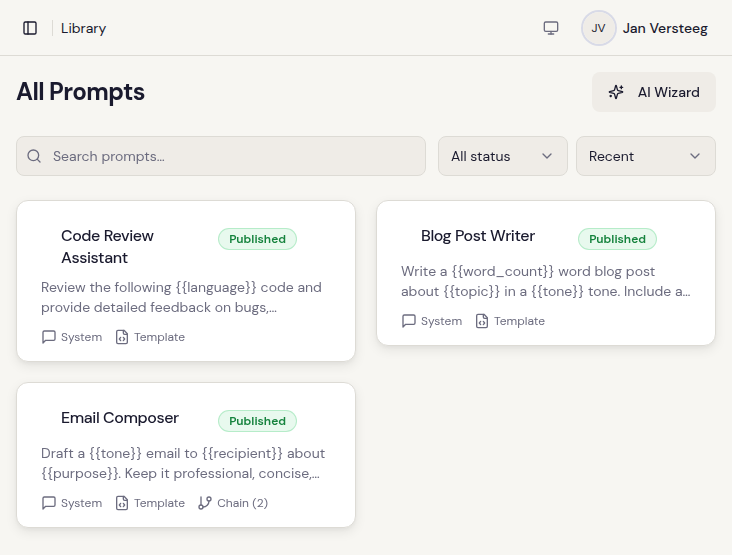
All your prompts in one spot — search, filter by tag, drag to reorder.
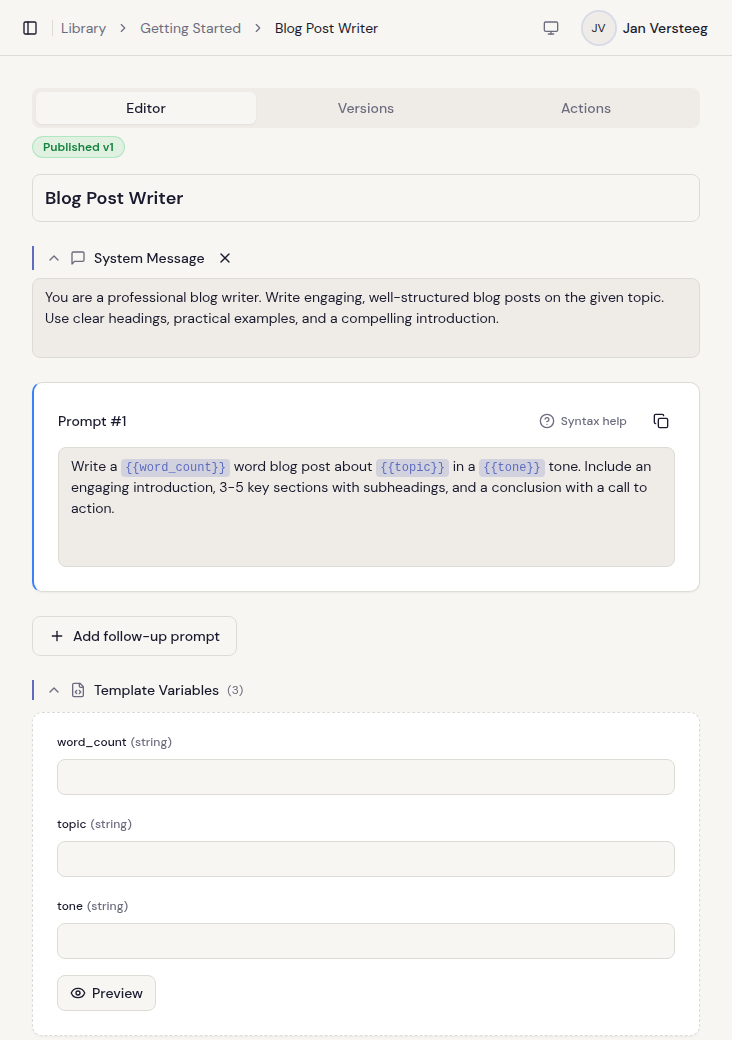
Editor with live template highlighting and word-by-word diffs between versions.
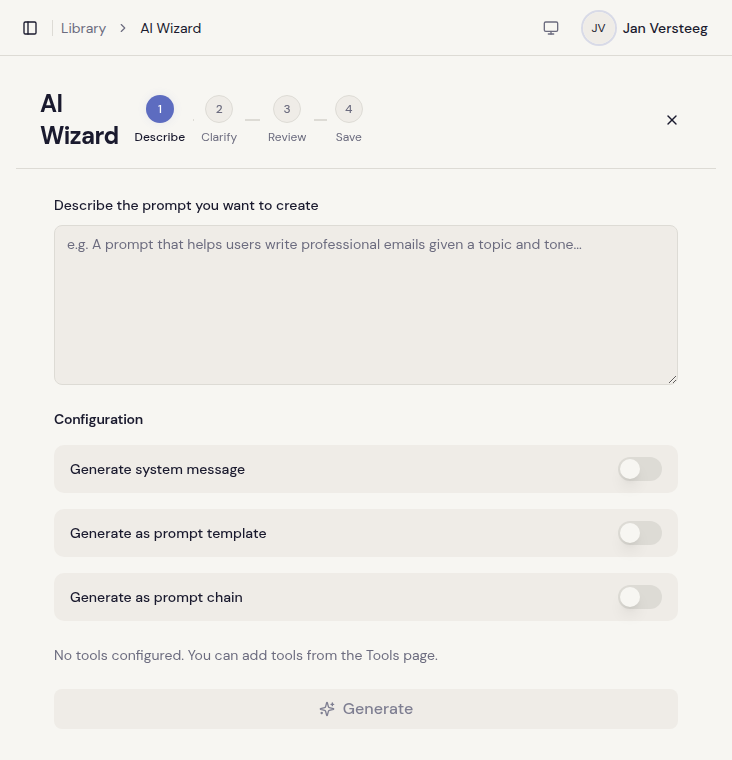
The AI wizard walks you through it: describe, generate, refine, publish.
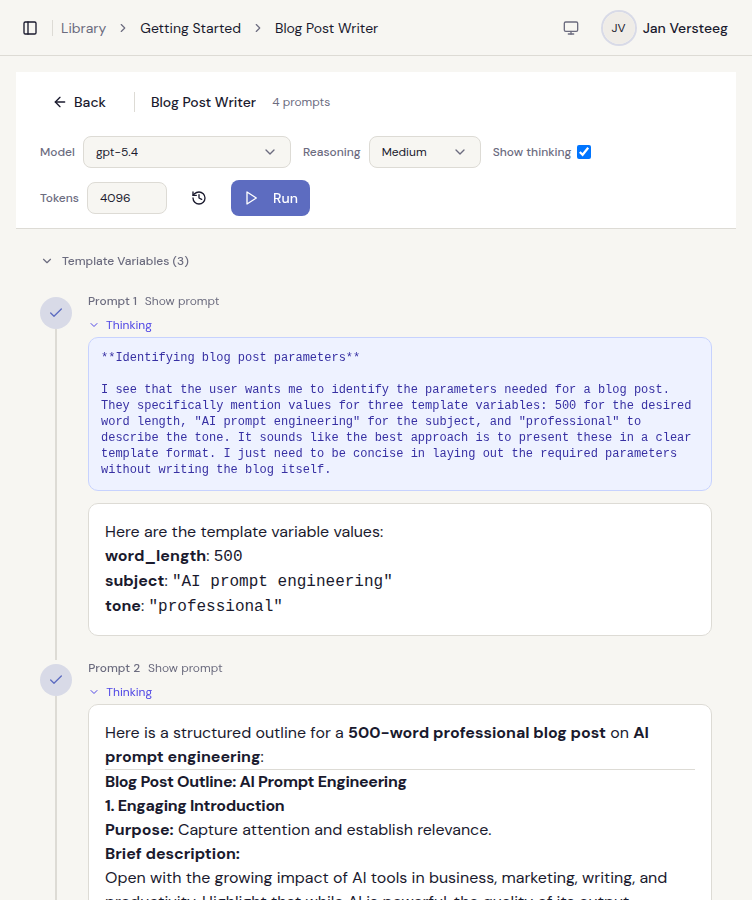
Run prompts against any model — streaming output, reasoning traces, and chain visualization all built in.
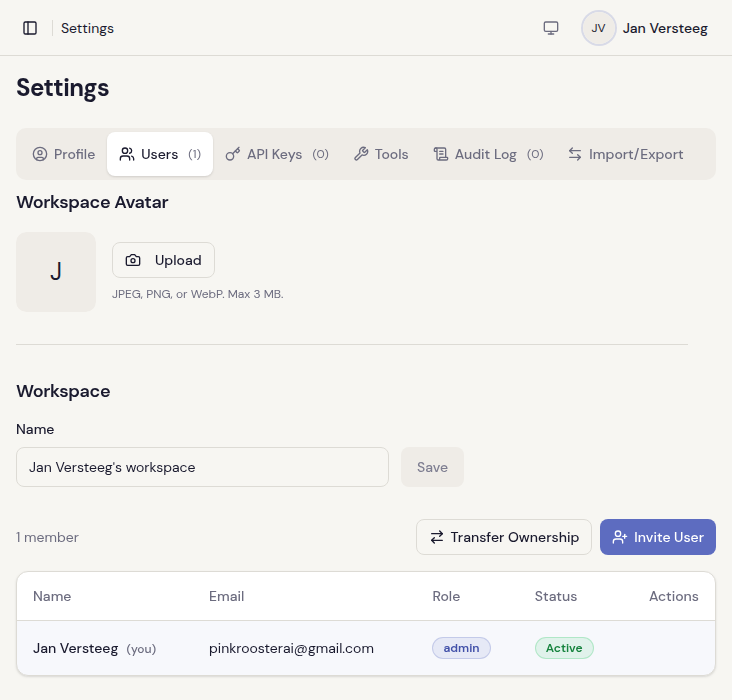
Invite people, pick a role, done. No settings maze to get lost in.
How It Works
Describe
Tell Clarive what you want the prompt to do. A sentence or two in plain English is plenty.
Generate
The AI writes a structured prompt and scores it on clarity, effectiveness, completeness, and faithfulness.
Refine
It asks follow-up questions, suggests tweaks, and re-scores. Keep going until the score levels off — or until you like what you see.
Publish
Hit publish. Your team can find it, use it, or riff on it — and every version sticks around in the history.
What you get with Clarive
Features that most cloud-only prompt tools charge extra for — or don't offer at all.
| Feature | Cloud-only tools | Clarive |
|---|---|---|
| Self-hosted deployment | ||
| Open source (MIT) | ||
| No per-seat pricing | ||
| Rich text editor | ||
| Typed template variables | ||
| Multi-model test matrix | ||
| Real-time presence & soft locks | ||
| AI merge conflict resolution | ||
| MCP tool integration | ||
| AI usage cost tracking | ||
| Version history | ||
| Team workspaces | ||
| Role-based access control | ||
| REST API |
Treat Prompts Like Code
$ curl -H "X-Api-Key: cl_your_key" \
    https://your-instance/public/v1/entries/{id}

{
  "title": "Email Writer",
  "systemMessage": "You are a professional writer.",
  "version": 3,
  "prompts": [
    {
      "content": "Write a {{tone}} email to {{recipient}}.",
      "templateFields": [
        { "name": "tone", "type": "enum",
          "enumValues": ["formal", "casual"] },
        { "name": "recipient", "type": "string" }
      ]
    }
  ]
}
API Key Auth
One header, one key, you're in: X-Api-Key
Template Variables
String, int, float, enum — with validation and rendering built in
Import / Export
Move stuff around in JSON, YAML, or Markdown — bulk or one at a time
Full API docs live in-app under Help → Public API
Explore the SourceYour data, your rules
Prompts are intellectual property. Where they live should be your call — not your vendor's.
Self-host on your infrastructure
Run Clarive on your own servers, your own cloud, or even air-gapped. Data never leaves your network unless you want it to.
Open source, MIT licensed
Every line of code is auditable. No black boxes, no vendor lock-in. Fork it, extend it, or just read it to know exactly what's running.
Encrypted at rest
API keys, AI provider secrets, and stored configuration are AES-encrypted. Multi-tenant isolation is enforced at the database level — not just row filters.
Cloud option with EU hosting
Prefer managed? Clarive Cloud stores data in the EU and is GDPR compliant. Same product, zero infrastructure work on your end.
Pick how you want to start
Start right now
Sign up, grab 20 free credits, and have your first prompt ready before your coffee gets cold.
Try FreeRun it yourself
Want full control? Pull the Docker image and run it on your own hardware — same features, no limits.
curl -fsSL https://github.com/pinkroosterai/Clarive/raw/main/.env.example -o .env
curl -fsSL https://github.com/pinkroosterai/Clarive/raw/main/docker-compose.yml -o docker-compose.yml
# Fill in the 3 secrets (.env has generation commands)
docker compose up -d
That grabs a pre-built image from Docker Hub and spins up Clarive with Postgres on localhost:8080. Edit .env to drop in your OpenAI key (or Ollama, LiteLLM, anything OpenAI-compatible), Google OAuth, and email provider.